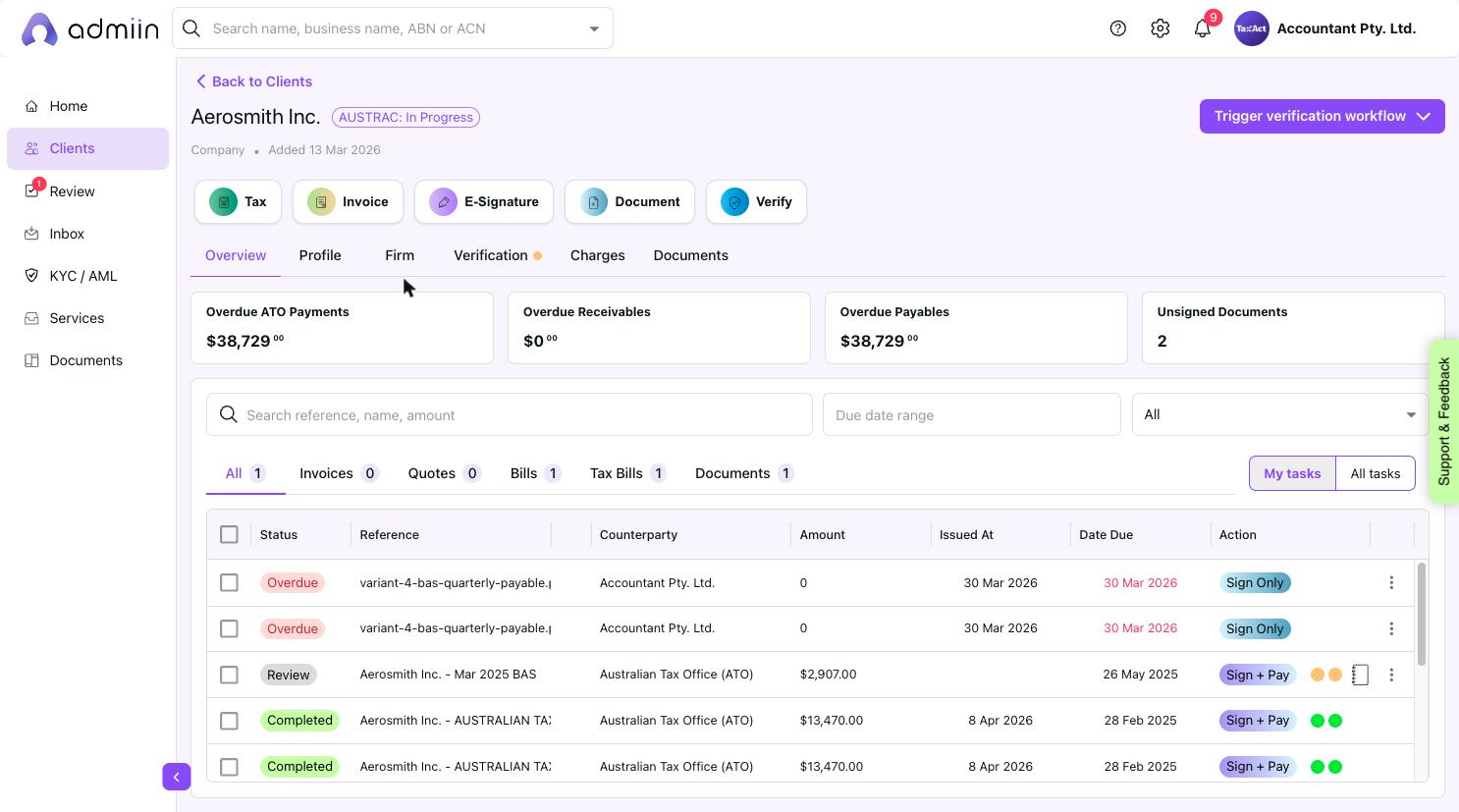
The Clients section is your firm’s full directory of client entities. Each client has their own profile, task history, compliance status, and charges.
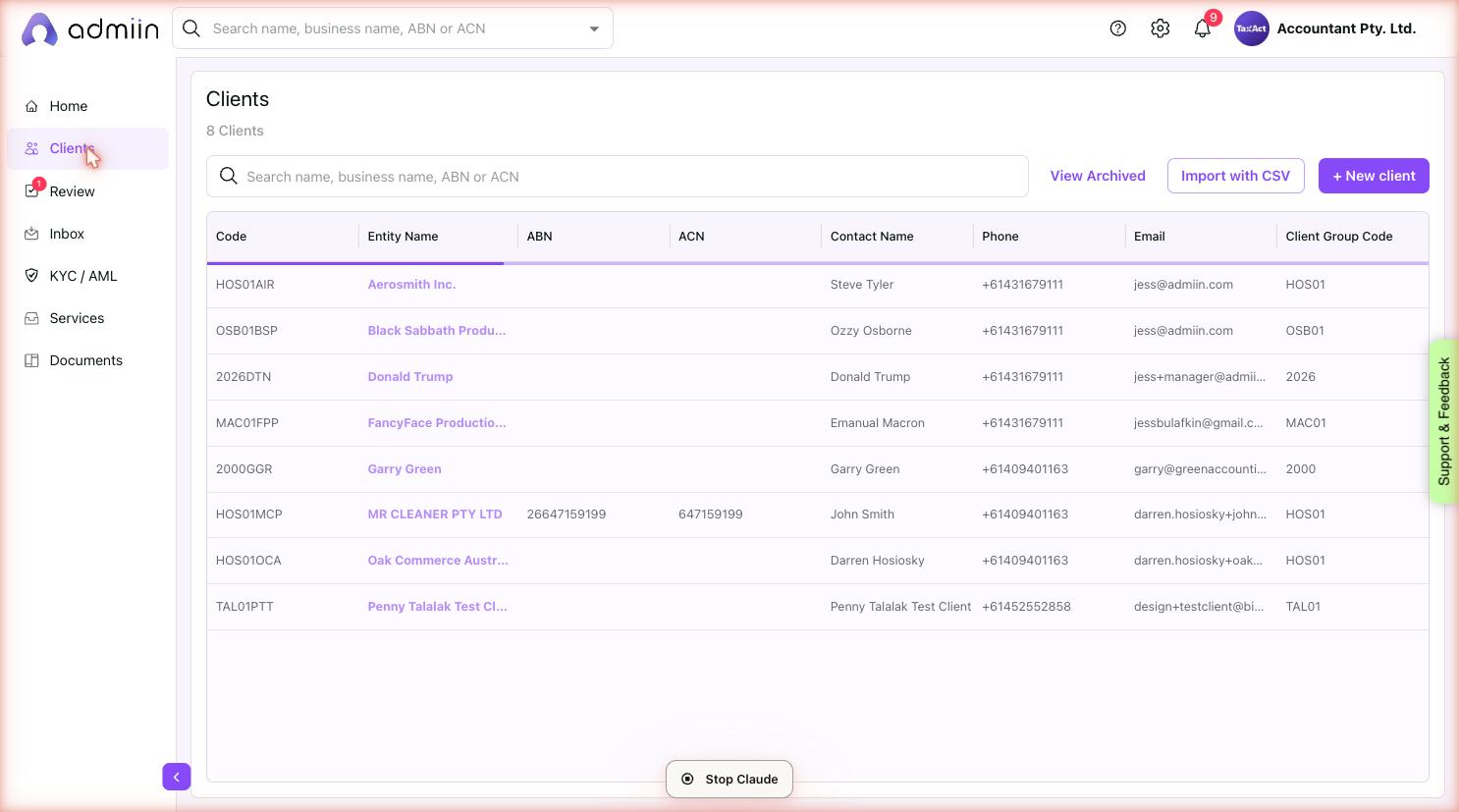
Navigate to Clients from the left sidebar. You’ll see a table showing:
Client Code — unique identifier (e.g. HOS01AIR)
Entity Name — the client’s business or personal name
ABN and ACN
Contact Name, Phone, Email
Client Group Code — groups related entities together
Go to Clients in the left sidebar.
2. Click + New client (top right).
3. Fill in the entity name, contact details, ABN/ACN, and address.
4. Assign a Client Code and Client Group Code if applicable.
5. Click Save. Your client will now appear in the Clients list.
Clicking any client opens their profile page with six tabs:
Overview — task summary tiles and full task list for this client
Profile — company details, logo, brand colour, ABN, address, contacts
Firm — client codes and related entities in the same group
Verification — AUSTRAC CDD and TPB POI compliance status
Charges — verification and service charges billed to this client
Documents — documents associated with this client