Tasks are the core unit of work in Admiin. A task is something you send to a client for them to Sign Only or Sign + Pay.
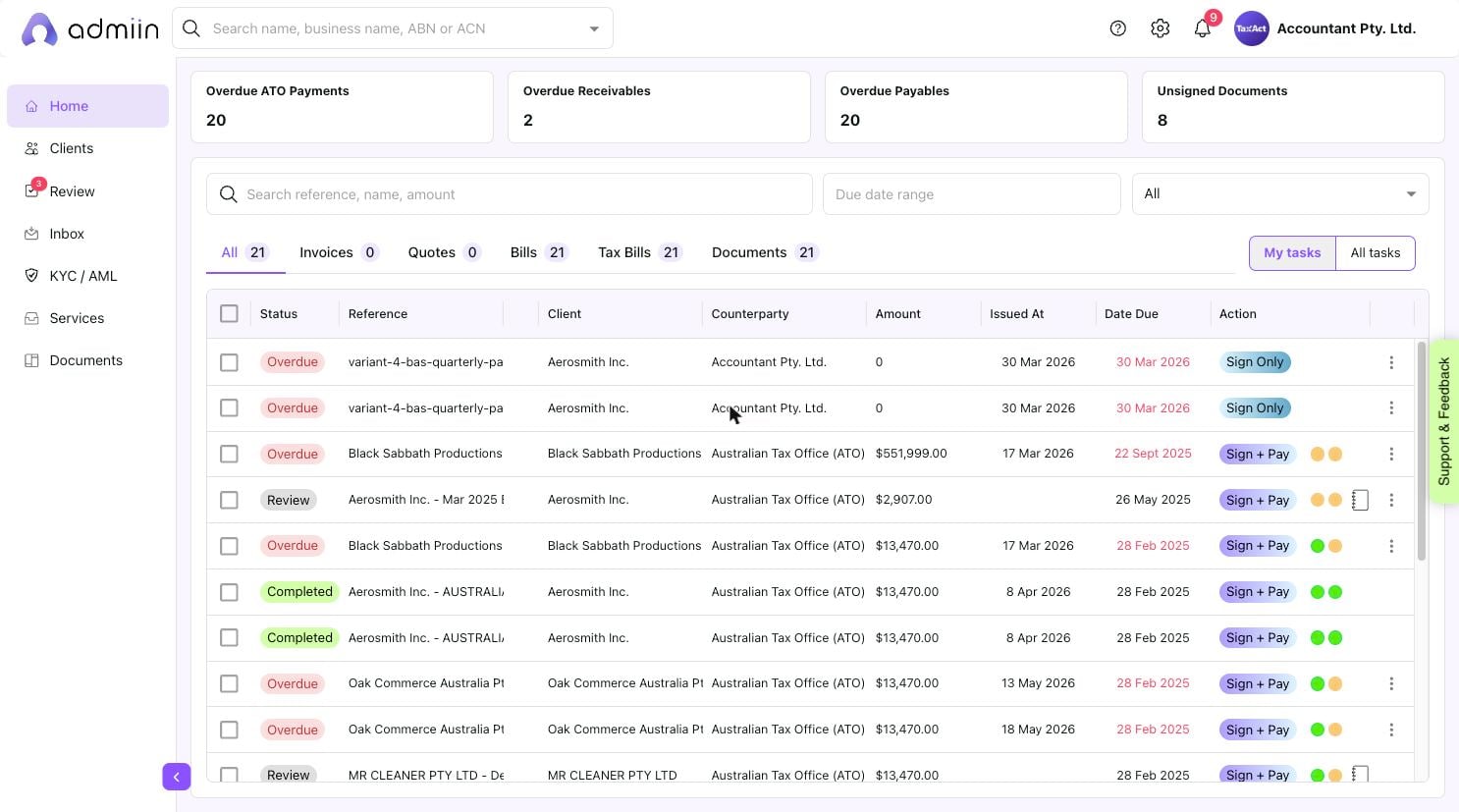
Admiin supports five task types:
Invoices — bills your firm sends to clients for services rendered
Quotes — price proposals for upcoming work
Bills — expenses or supplier invoices
Tax Bills — ATO obligations (BAS, IAS, FBT, ITR) requiring client payment
Documents — any document requiring client e-signature only
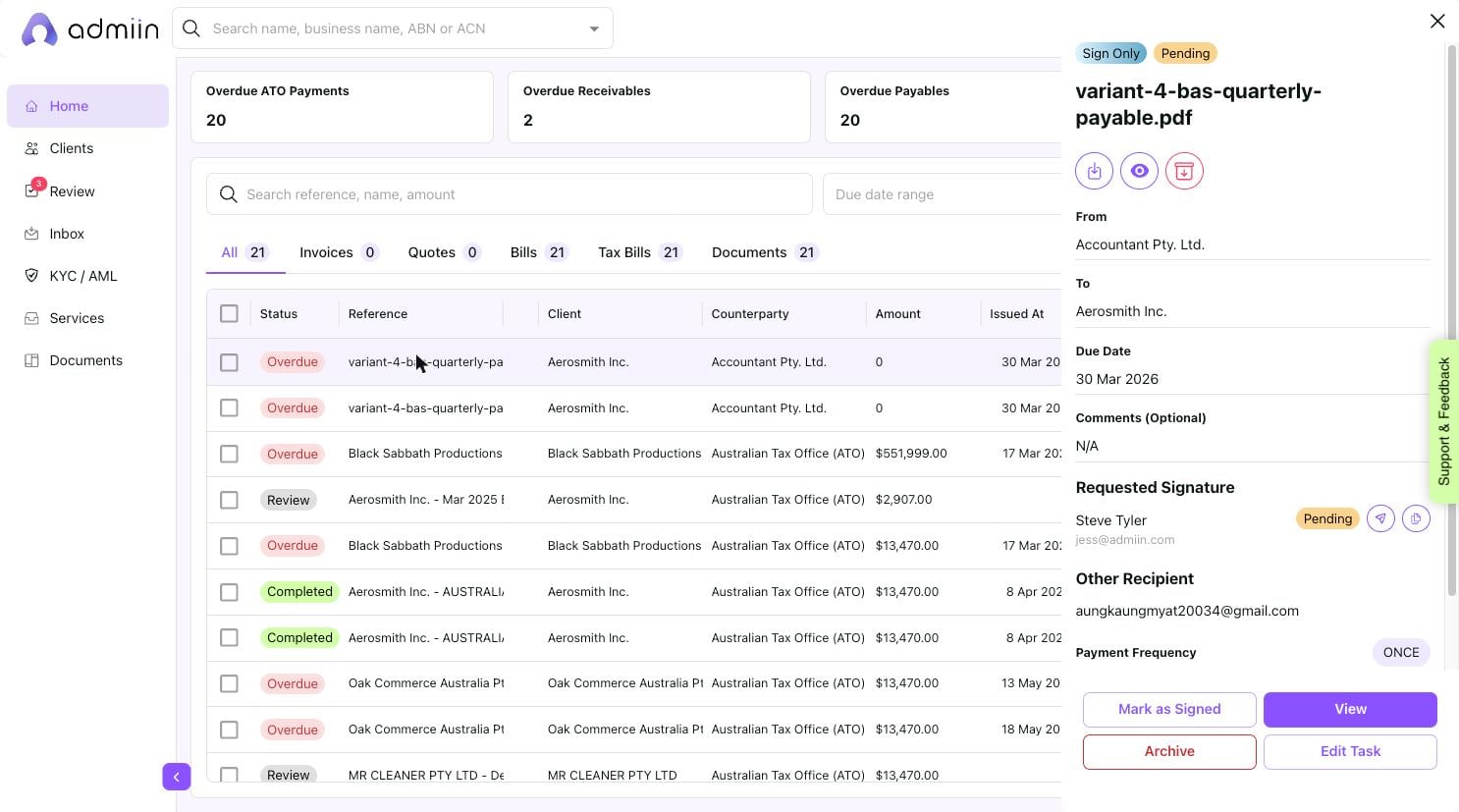
Click any task row to open the detail panel on the right side. Here you can see:
Task type (Sign Only / Sign + Pay) and status
Document title, From, and To details
Due date and comments
Requested signature parties and their status
Payment frequency (Once or Recurring)
Action buttons: View, Mark as Completed, Archive, Edit Task