The Review queue lets authorised partners and managers approve or reject tasks before they are sent to clients. This ensures quality control across the firm.
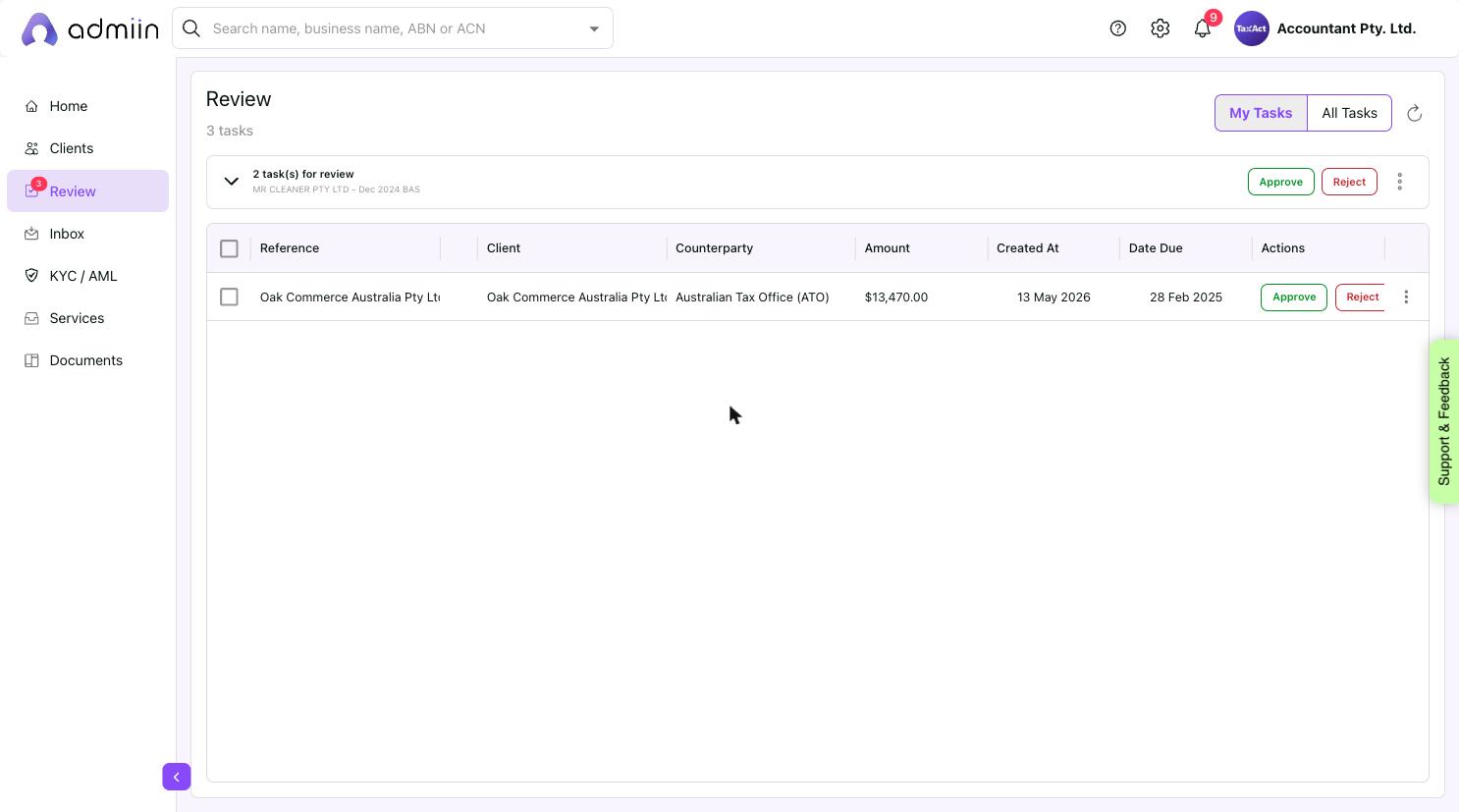
Navigate to Review in the left sidebar.
2. You will see tasks grouped by reference, waiting for your decision.
3. Click Approve to send the task to the client, or Reject to return it to the creator.
4. Use the checkboxes to select multiple tasks for bulk approval or rejection.
Tip: Use the My Tasks / All Tasks toggle at the top right to switch between tasks assigned to you and all tasks across the firm.
